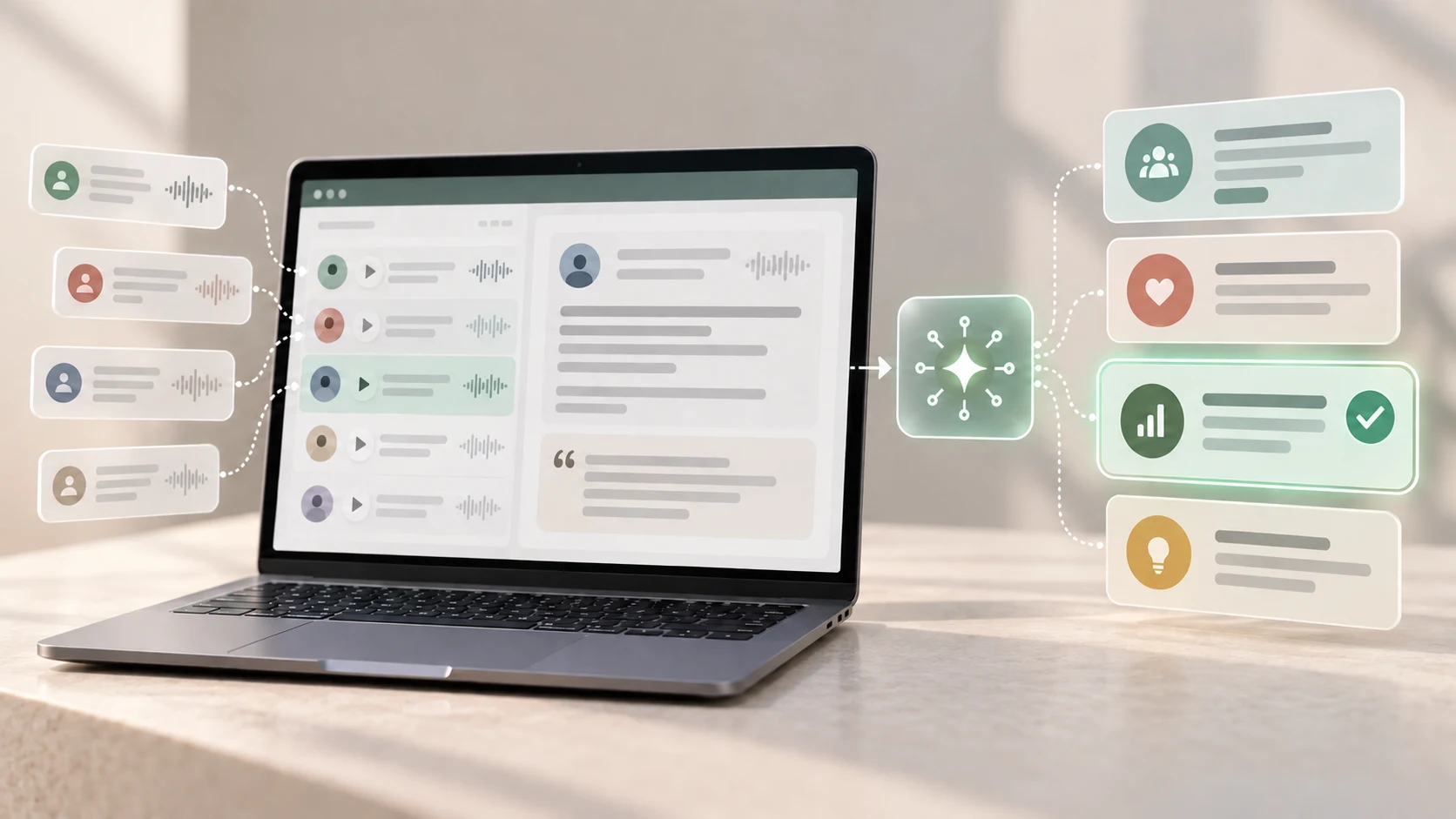
AI can sort a page of research notes in seconds. That speed is useful—but a fast summary is not automatically a sound finding.
AI can help UX researchers work more efficiently by supporting preparation, organization, comparison and communication. It is most useful as an assistant that proposes a structure or a starting point. The researcher remains responsible for consent, privacy, source evidence, interpretation and the decision that follows.
This guide is for beginner UX researchers, designers and career switchers who want a practical way to use AI without losing the human context that makes research valuable. If the methods themselves are new to you, first read what UX research is and how the process works.
The short answer: where AI helps and where it does not
- Useful support: draft questions, note formatting, early coding suggestions, comparison tables and report outlines.
- Human responsibility: research goals, participant care, data handling, interpretation, prioritization and design decisions.
- Essential safeguard: keep each proposed theme traceable to the original evidence.
- Wrong use: inventing participants, creating quotations, declaring a finding without verification or uploading restricted data.
01 What does AI add to UX research?
UX research often involves more material than a researcher can comfortably hold in mind at once: interview notes, observations, survey comments, usability issues and project constraints. AI can help transform that material into workable drafts. It may reformat notes consistently, suggest similarities to investigate or produce several ways to explain a verified finding.
The value is not that AI “understands the user” on the researcher's behalf. The value is that it can reduce some mechanical work and make alternative interpretations easier to inspect. This gives the researcher more time to review evidence, notice contradictions and discuss the implications with the team.
A useful mental model is generate, trace, challenge, decide: let the tool generate a proposal, trace it to sources, challenge it with contrary evidence, and let a responsible person make the decision.
02 Practical ways AI can support a research project
Clarify a research plan
A researcher can give an AI tool a non-sensitive project brief and ask it to identify assumptions, rewrite a broad objective as research questions or suggest which questions belong in an interview rather than a survey. Treat the response as material to critique. The tool does not know the organization, participant relationship or decision constraints unless the researcher supplies and verifies that context.
Draft and review discussion guides
AI can suggest open questions, flag wording that appears leading and produce follow-up prompts. A human should check whether each question is necessary, neutral, understandable and appropriate for the participant. The final guide should still leave room for listening rather than forcing every session through a rigid script.
Organize de-identified notes and transcripts
With an approved workflow, AI can convert notes into a consistent table, propose descriptive codes or group passages that appear related. This can speed up the first pass through the material. Keep stable source identifiers so every code and theme can be checked against the relevant session and surrounding context.
Compare themes and exceptions

A structured prompt can ask the tool to list supporting evidence, conflicting evidence and unanswered questions for each proposed theme. This is more useful than requesting a polished summary immediately. It encourages inspection and makes it easier to see when one memorable comment has been mistaken for a recurring pattern.
Prepare research communication
After findings have been verified, AI can help adapt a summary for different audiences, turn a long explanation into a concise readout or suggest a report structure. Review the output for accuracy, tone and unwanted certainty. A short executive summary should not erase sample limitations or meaningful differences between participants.
03 A responsible AI-assisted UX research workflow
The workflow matters more than the prompt. Build safeguards around the material before asking an AI system to process it.
1. Start with the decision and research question
Write what the team needs to decide and what evidence could reduce uncertainty. This prevents a tool from producing an impressive analysis of material that cannot inform the project.
2. Check consent, policy and tool approval
Confirm what participants agreed to, which tools the organization permits, where data may be processed and who may access it. Do not assume that removing a participant's name removes every identifying detail. A job title, location, company or unusual experience may still make someone recognizable.
3. Minimize and de-identify the material
Use only the information needed for the task. Remove unnecessary names, contact details, account data and sensitive context. When the risks or obligations are unclear, use fictional or researcher-created material until an appropriate reviewer approves the workflow.
4. Preserve an evidence trail
Assign neutral identifiers such as P01 or S03 to source sessions. Keep the original notes in their approved location, and require AI-generated codes or themes to include source references. This makes the analysis reviewable instead of turning evidence into an untraceable summary.
5. Ask for structured suggestions, not a verdict
Request a table with a proposed theme, supporting excerpts, contradictory excerpts, confidence notes and questions for human review. Avoid prompts such as “Tell me the top user needs” when the material and sample cannot support that certainty.
6. Verify line by line
Check quotations, source references and interpretations against the original material. Look for missing context, combined statements, fabricated detail and themes supported by too little evidence. Record important corrections instead of quietly accepting the output.
7. Reintroduce context and difference
Compare the proposed themes with participant situations, research notes and what happened during the session. Preserve exceptions that affect accessibility, safety or a critical journey even when they are not common across the sample.
8. Let people make and own the decision
The researcher and team should decide what the evidence means, what remains uncertain and what to do next. Document where AI assisted, what was checked and which limitations apply.
04 Example: making sense of course-enquiry research
Imagine a fictional training provider is exploring how prospective learners compare schedules before sending an enquiry. A researcher conducts several sessions and creates de-identified notes with source IDs. The notes include what each participant looked for, where they hesitated and what information they expected.
Instead of asking AI for “the answer,” the researcher asks for proposed themes with source IDs, contradictory observations and open questions. The tool suggests that schedule visibility is a theme. On review, the researcher finds that some participants located the schedule but could not distinguish class timing from course duration. Those are related problems, but combining them would make the finding less actionable.
The researcher separates the observations, checks each against the source notes and reports the sample and limitations. The team can then decide whether to change information placement, clarify labels or test a revised journey. The AI helped organize the evidence; it did not choose the design response.
This is an illustrative example, not a report of Zolve Academy research, participant feedback or measured results.
05 Privacy, accuracy and human review

Research material can reveal more than a participant intended to share with a software provider. Before using an AI tool, understand its data handling, retention, access and training settings as they apply to the organization's account and location. Follow the relevant consent, contract, policy and legal requirements rather than relying on a generic promise that a tool is “secure.”
Accuracy requires a separate check. AI output may sound confident while misquoting a source, overlooking an exception or adding a plausible detail that was never present. A researcher should be able to show the evidence behind each finding and explain where judgment was applied.
Human review must be meaningful. If the reviewer merely approves every suggestion, the safeguard exists only on paper. Give the reviewer access to the source material, enough time to challenge the output and a clear way to reject or revise it.
06 Common mistakes when using AI for UX research
- Uploading raw participant data by default: convenience does not replace consent, authorization or data minimization.
- Treating a summary as evidence: a summary is an interpretation. Keep the source notes available and traceable.
- Accepting fluent output too quickly: clear writing can hide invented details, weak support or lost context.
- Flattening disagreement: a neat theme may conceal different needs, situations or accessibility barriers.
- Counting mentions as importance: frequency in a small qualitative study does not automatically indicate severity, prevalence or product priority.
- Using synthetic participants as user evidence: AI-generated reactions can help a team brainstorm questions, but they are not observations from the intended audience.
- Automating the recommendation: research findings interact with technical, ethical and business constraints that require accountable human judgment.
- Hiding the workflow: collaborators should know what material was processed, where AI assisted and how the output was verified.
07 A checklist before you use AI with research material
Pause before you paste
- Can you state the research question and decision this work supports?
- Did participants agree to the relevant use of their information?
- Is this tool approved for the type of data involved?
- Have you removed information that is unnecessary or identifying?
- Can every proposed theme be traced to source evidence?
- Have you checked for contradictions, exceptions and missing context?
- Will a qualified person review and own the final interpretation?
- Can you explain the method and its limitations to collaborators?
08 How beginners can practise safely
Start with a fictional brief or non-sensitive notes you created yourself. Try the same small synthesis twice: once manually and once with AI assistance. Compare what the tool grouped, what it missed and how its labels influenced your attention. This builds judgment before speed becomes the goal.
As you progress, connect AI-assisted organization to the wider user experience design process. Strong researchers still need to frame questions, listen carefully, evaluate interfaces and explain uncertainty. Those responsibilities are part of the practical work of a UI/UX designer, whether AI is present or not.
Want to practise research, synthesis and prototyping as one connected workflow? Explore Zolve Academy's Professional UI/UX Design & AI-Powered Workflow Program, review the curriculum and send an enquiry about learning where AI helps—and where your design judgment matters most.
FAQ
Common questions about How AI Can Help UX Researchers Understand Users More Efficiently
A quick summary of the most common questions readers have about this topic.
AI can help researchers prepare draft discussion guides, organize de-identified notes, suggest themes, compare feedback across sessions and turn verified findings into clearer summaries. A researcher still needs to check the source evidence, preserve context and decide what the findings mean.
AI can assist with transcript organization, initial coding and theme suggestions when the tool, consent and data handling are appropriate. It should not be treated as an independent analyst: outputs can omit nuance, merge different ideas or create unsupported claims, so every conclusion must be checked against the original research evidence.
Not automatically. Interview material may contain personal, confidential or sensitive information. Researchers should follow participant consent, organizational policy, contractual obligations and applicable privacy requirements; use approved tools; minimize or de-identify data; and avoid sharing information the tool is not authorized to process.
AI can reduce time spent on repetitive preparation and organization, but it cannot take responsibility for research ethics, participant rapport, contextual judgment or design decisions. Strong UX research still depends on humans asking appropriate questions, interpreting evidence carefully and communicating uncertainty.
Start with low-risk material such as a fictional research brief or your own non-sensitive practice notes. Ask AI to suggest alternative research questions or organize notes into a draft table, then verify each suggestion yourself before trying the workflow with real participant data.